
Streaming Quality and Car Audio: Why Lossy Files Kill Your Sub
Streaming quality settings directly affect how your subwoofer performs. Here's what lossy compression actually removes from your music and why it shows up loudest in a car.
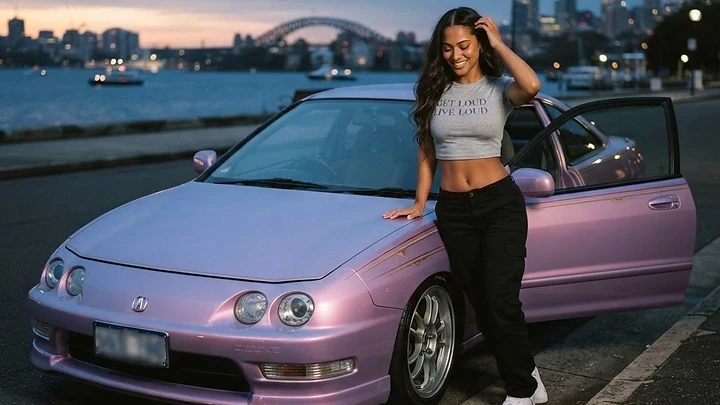
You pull up to a meet. System sounds decent at home, decent through the app on your phone. You crack the windows, drop the trunk, and queue up that track you've been running all week. And something is just... off. The kick doesn't hit the way it did in your living room. The sub feels like it's working but not really delivering. You've been there. I've been there. And for the longest time I blamed my tune, my box, my gains. Took me a while to figure out the real culprit was the file itself.
Streaming quality and car audio performance are directly connected. A 128 kbps MP3 and a 320 kbps file or a lossless FLAC are not the same signal, and your subwoofer will tell you the difference before your ears can explain it. Lossy compression removes frequency data, transient detail, and low-end definition. In a car, where cabin gain is already coloring the sound and your subwoofer is chasing every clean watt it can get, that missing data costs you.
Key Takeaways
- Lossy compression (MP3, AAC, Ogg Vorbis) discards audio data permanently. You cannot recover it with EQ or bass boost.
- Low bitrate files (128 kbps or below) cause audible artifacts in the bass range, including smearing, lack of punch, and distorted low transients.
- Lossless files (FLAC, WAV, ALAC) give your DSP and amplifier the cleanest possible signal to work with.
- Streaming tier matters. Spotify's "Normal" quality is 96 kbps. Even "High" is 160 kbps AAC. Only "Very High" (320 kbps) or services offering lossless tiers give you something worth feeding to a real system.
What Lossy Compression Actually Throws Away
Every time you encode a song as an MP3 or AAC, the encoder runs a perceptual coding algorithm that decides what audio information a human ear is least likely to notice and discards it. Lower bitrates mean more data gets cut. The problem is that "least likely to notice" was designed for consumer earbuds and laptop speakers, not for a ported enclosure tuned to 32 Hz with 1,000 watts behind it.
What gets cut first? High-frequency air and shimmer. Micro-detail in reverb tails. And critically for bassheads: transient sharpness in the low end. The attack on a 808 kick, the initial thump of a bass guitar note, the crack at the front edge of a sub-bass hit. Those fast transients require a lot of data to encode accurately. Lossy codecs smear them.
At 128 kbps you also start getting pre-ringing artifacts, which are phantom low-level sounds that appear just before transients in the decoded audio. Your ears might not consciously hear them, but your subwoofer reproduces them. The result is a slightly blurry, indistinct low end that never quite snaps the way it should.
Why the Car Makes Bad Files Sound Worse
Here's the thing that kills me: a mediocre file played through earbuds is survivable. You might not even notice. But put that same file into a car with a real system and every flaw gets amplified.
Cabin gain (the natural low-frequency boost you get from the physical volume of a car's interior) typically adds 6 to 12 dB in the 40 to 80 Hz range. That means your subwoofer is already working in an environment that emphasizes bass. Whatever is in that bass signal, good or bad, gets louder.
And then there's your amplifier. A quality monoblock pushing real wattage into a subwoofer will reproduce whatever signal you feed it faithfully. High gain, clean signal: clean bass. High gain, lossy smeared signal: louder smeared bass. Amplifiers do not fix source problems. They expose them.
Your DSP can't fix it either. Time alignment is perfect, crossovers are dialed in, parametric EQ is surgical. None of that restores data that was thrown away before the file ever hit your head unit. Garbage in, garbage out is not a cliche in car audio. It is physics.
The Streaming Tier Problem Nobody Talks About
I see people spending three grand on amplifiers and then streaming on Spotify's default quality setting. I did it myself for way too long.
Here's where the major platforms actually sit:
- Spotify Normal: 96 kbps Ogg Vorbis. This is the default on mobile with data saving on. Genuinely bad for a real system.
- Spotify High: 160 kbps. Better. Still lossy.
- Spotify Very High: 320 kbps Ogg Vorbis. This is the max for non-HiFi tier. Acceptable.
- Apple Music: Up to 256 kbps AAC on standard, with Lossless (ALAC) and Hi-Res Lossless available at no extra cost on the standard subscription. This is underrated.
- Tidal HiFi: 16-bit/44.1 kHz FLAC lossless. Real lossless. Tidal HiFi Plus adds MQA and Dolby Atmos content.
- Amazon Music HD: 16-bit/44.1 kHz lossless standard, with Ultra HD tracks up to 24-bit/192 kHz. Strong catalog.
- Qobuz: Studio tier delivers up to 24-bit/192 kHz FLAC. The audiophile standard.
For car audio specifically, the jump from 160 kbps AAC to Apple Music lossless ALAC is not subtle. It is audible. The bass tightens. Transients snap. The sub sounds like it knows where the beat is instead of chasing it.
How Bitrate Affects Specific Frequencies in Car Audio
This is worth breaking down because the damage from compression is not spread evenly across the frequency spectrum.
Sub-bass (20 to 60 Hz): Lossy codecs struggle with very low frequencies because the waveforms are long and complex to encode efficiently. At low bitrates you lose definition and sustain accuracy. A 40 Hz note might decay incorrectly or have added harmonic artifacts that your sub reproduces as mud.
Bass (60 to 250 Hz): The kick drum and bass fundamentals live here. This is where smeared transients hurt most in a car. The "punch" of a kick drum is almost entirely about the attack speed of the transient. Compression robs that attack. You feel less snap, more rumble.
Midrange (250 Hz to 2 kHz): Lossy codecs actually perform relatively well here because this is where human hearing is most sensitive and the codecs are optimized for it. But artifacts in this range affect vocal clarity, which matters for SQ builds.
High frequencies (above 8 kHz): Hard cutoffs and aliasing artifacts show up here at low bitrates. Not a subwoofer concern, but it affects the perceived quality of your whole system.
Local Files vs Streaming: What to Actually Play at a Meet
My rule is simple. If I'm demoing a system, local lossless files only. FLAC at 16-bit/44.1 kHz minimum. For 24-bit source material I'll run 24-bit/96 kHz FLAC if I have it.
Why? Because when someone walks up to my car and I'm showing them what the system can do, I want every single watt going toward reproducing the actual music, not reconstructing data that an encoder threw away years ago. A clean FLAC file from a well-mastered track is as close to the original studio mix as you're going to get in a car. That's what you want.
For everyday listening, streaming on the highest quality tier your service offers is fine. But never demo a system on a low-bitrate stream. You're lying to yourself and to anyone watching.
If you want to go further, AAMPED Labs was built specifically for this use case: taking your tracks and mastering them for car playback, with bass reconstruction matched to your actual box tune. It's built by car audio people, for car audio people. The difference between a track processed through it and a raw 320 kbps stream through a randomly tuned system is the kind of difference you feel in your chest.
How to Check What Quality You're Actually Streaming
Most people have no idea what their streaming app is actually doing by default. Here's how to verify and fix it.
Spotify:
- Open Settings.
- Go to Audio Quality.
- Set both Wi-Fi Streaming and Cellular Streaming to "Very High."
- Enable Download quality to "Very High" if you use offline mode.
Apple Music:
- Open Settings on iOS, scroll to Music.
- Under Audio Quality, set Lossless Audio to On.
- Set Streaming to "Lossless" (24-bit/48 kHz) or "Hi-Res Lossless" (24-bit/192 kHz) depending on your head unit's capability.
- Check that your USB connection to the head unit supports the full sample rate your source is outputting.
Tidal:
- Settings > Streaming Quality.
- Set to HiFi or above depending on your tier.
- If you have HiFi Plus, enable "Master" quality where tracks support it.
One note on 24-bit/192 kHz files: they are massive. A three-minute track can be 150 MB or more. Make sure your playback device and head unit can actually handle that sample rate natively. Most modern Android Auto and CarPlay setups downsample anyway, which can introduce its own artifacts. 16-bit/44.1 kHz FLAC is the practical sweet spot for most car audio systems right now.
Does Bluetooth Make It Worse?
Yes. But it's more complicated than "Bluetooth bad."
Standard Bluetooth audio uses the SBC codec, which is lossy and operates around 328 kbps maximum, with typical implementations running lower. That's not catastrophic, but it's another encoding step between you and your amplifier.
aptX and aptX HD raise the ceiling significantly. aptX runs at 352 kbps, aptX HD at up to 576 kbps. LDAC, which Sony developed and Android supports natively, can reach 990 kbps, which gets close to CD quality territory.
But: your phone has to support the codec, your head unit has to support it, and they both have to negotiate it at connection time. Most budget and mid-range head units still default to SBC regardless of what your phone supports. Check your head unit specs before assuming you're getting aptX.
For serious listening and any demo situation, USB wired connection or a 3.5mm analog connection through a quality LOC beats Bluetooth every time. Less signal processing, less latency, lower noise floor.
Frequently Asked Questions
Does a higher bitrate file actually make a subwoofer hit harder?
Not harder in terms of volume, but cleaner and tighter. A lossless file gives the sub accurate transient information. The hits snap instead of smear. The subjective impression is more impact, because the physics of the attack are correct.
What's the minimum bitrate I should use for a car audio system with subwoofers?
320 kbps is the practical minimum for lossy files. Below that, compression artifacts in the bass range become audible on a properly tuned subwoofer system. Lossless (FLAC, ALAC, WAV) is always preferable.
Do head units and DSPs upsample low-quality files?
Some do, and it's mostly marketing. Upsampling a 128 kbps file to 24-bit/96 kHz does not restore the data that was removed during encoding. It just gives you a bigger file with the same missing information. Always start with the best source available.
Is FLAC actually better than a high-quality MP3 for car audio?
For most people in most cars, 320 kbps MP3 and FLAC sound very similar through casual listening. But on a resolving system with quality amplification and a well-tuned sub, the FLAC has measurably better transient accuracy and lower noise floor. The difference shows up most on complex bass passages and tracks with a lot of low-frequency information.
The Bottom Line on Source Quality
You can spend ten thousand dollars on a car audio build and then feed it garbage. People do it every day. The source is the foundation. Everything downstream, your DSP, your amplifier, your subwoofer, your enclosure, reproduces what comes in. They do not improve it.
Check your streaming settings tonight. Seriously. Go do it right now before you even finish reading this. If you're on Spotify Normal, you're leaving sound quality on the table that you already paid for with every piece of equipment in your build.
And the next time someone walks up at a meet and says "how come it doesn't hit like I expected?" ask them what they're streaming on. Nine times out of ten, that's your answer.
What quality tier are you running right now, and have you ever actually A/B tested it against a lossless file on your own system? Drop it in the comments. I want to know if you can actually hear the difference, or if you think it's all placebo.
From AAMPLIFIED
View all gear →


Related topics:
Rep the culture. Browse AAMPLIFIED apparel and gear for car audio enthusiasts.
aamplified.store →Reactions
Comments (3)
My Pioneer setup sounded muddy until I stopped using the low bitrate setting in the app. Even with basic equipment, swapping to a higher bitrate cleared up the bass response immediately. Dealing with those pre-ringing artifacts is a headache I did not know I was causing myself.
Replying to JesC
Even with my Skar SDR 12 on a budget RP1200 setup, I dont buy that Apple Music lossless is strictly better than 320 kbps files for car audio. I have done A/B testing while sitting in my driveway and the difference between those high bitrates is basically non-existent compared to the road noise I deal with daily. Its definately worth checking your stream settings, but dont expect a miracle if your gain staging is already way off.
Replying to AmberT
Road noise definitely masks a lot of high-end detail, but the sub-bass issues described are more about the signal integrity reaching the input stage than the final output volume. When you have four 15s moving that much air, any pre-ringing or smeared transients in a 128 kbps file get translated into muddy, indistinct output that just lacks that sharp initial impact. It might not matter much when you are rolling down the highway, but those differences become glaringly obvious the second you pull into a meet and turn it up.
Ready to Master Your Tracks?
Upload your music and get professional bass enhancement tuned for car audio.
Get Started Free