
The Hidden Truth About Bluetooth, Streaming Loudness, and Car Audio
Stop blaming your subwoofers for weak bass. Discover how Bluetooth compression and streaming loudness penalties are quietly destroying your car audio system, and exactly how to fix it.
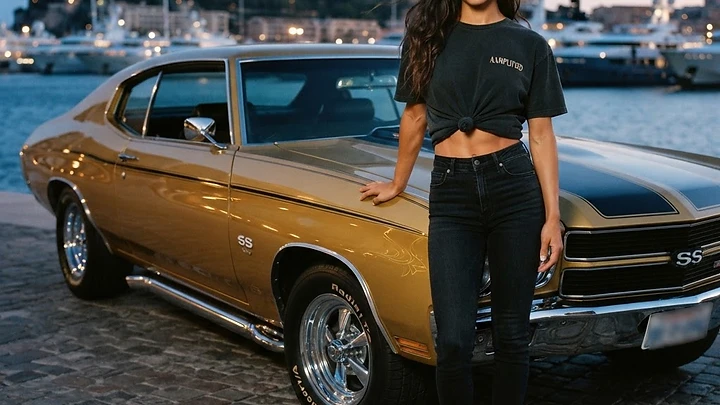
I remember the exact moment I realized my system was lying to me. It was 2018, and I had just spent three days deadening the doors of my daily driver, wiring up a fresh set of components, and tuning a custom ported box to 32 Hz. I fired up my favorite test track on Spotify over Bluetooth, expecting my chest to cave in. Instead, the bass felt hollow. The snare sounded like it was wrapped in a wet towel. I spent hours checking my grounds, my RCA cables, and my amplifier gains. The problem was not my hardware. The problem was the invisible digital garbage I was feeding it. If you are running a high-end system and relying on default streaming settings over a wireless connection, you are choking your amplifiers before the signal even reaches them. Wireless convenience is the enemy of dynamic range.
Key takeaways
- Bluetooth connections force your audio through lossy codecs like SBC or AAC, stripping away low-end detail and dynamic punch.
- Streaming platforms like Spotify default to lower bitrates (96 kbps to 160 kbps) to save data, destroying the transients your subwoofers need to hit hard.
- Loudness normalization (LUFS) applied by streaming apps crushes the dynamic range of your music, making heavy bass tracks sound flat and lifeless.
- A wired USB connection playing lossless files is the only way to guarantee your car audio system receives the full, uncompressed signal.
Editor's Pick
Recommended OFC 1/0 gauge amp wire kit
The Bluetooth Bottleneck: Why Wireless Audio Kills Dynamics
We need to talk about what actually happens when your phone connects to your head unit. A standard uncompressed CD-quality audio file requires a bitrate of 1,411 kilobits per second (kbps) to play back without losing data. Bluetooth simply does not have the bandwidth to carry that much information. To make the wireless connection work, your phone and your car stereo agree on a codec to compress the audio on the fly.
The default fallback codec for almost all Bluetooth devices is SBC. It maxes out around 328 kbps in perfect conditions, but in a moving vehicle surrounded by interference, it often drops much lower. If you use an iPhone, your system likely defaults to AAC, which caps out at 256 kbps. While AAC is more efficient than SBC, it is still throwing away massive amounts of acoustic data.
What gets thrown away first? The extreme highs and the extreme lows. The compression algorithm discards the subtle decay of a bass note and the sharp attack of a kick drum. Your subwoofers can only reproduce the signal they receive. If the Bluetooth codec has already chopped off the bottom octave of your music, no amount of amplifier gain will bring it back.
Streaming Loudness Penalties: The LUFS Trap
Beyond the wireless connection, the streaming apps themselves are sabotaging your sound. Platforms like Spotify, Apple Music, and Tidal use a system called loudness normalization to ensure that every song plays at roughly the same volume. They measure this using LUFS (Loudness Units relative to Full Scale). Spotify targets -14 LUFS. Apple Music targets -16 LUFS.
If you play a heavily mastered, bass-heavy track that naturally sits at -8 LUFS, the streaming app will aggressively turn it down to meet its -14 LUFS target. This process flattens the dynamic range. The massive volume difference between the quiet intro and the heavy bass drop is erased. Your music ends up sounding squashed and lifeless.
To make matters worse, Spotify defaults its streaming quality to Automatic. In a moving car, as your cell signal fluctuates, the app will quietly drop your audio quality down to Normal (96 kbps) to prevent buffering. You are left listening to a heavily compressed, volume-penalized shadow of the original song.
Editor's Pick
Recommended USB to lightning high res audio cable
Lossy Formats vs Lossless: What Actually Matters in a Car
Many enthusiasts argue that you cannot hear the difference between a 320 kbps MP3 and a lossless FLAC file in a noisy car environment. They are wrong. While road noise does mask subtle high-frequency details, the difference in the low-end energy is undeniable. Lossy compression smears bass frequencies, making them sound muddy and imprecise.
When you play a lossless ALAC or FLAC file, the transients are sharp. A kick drum hits with immediate, physical force. The bass notes have distinct pitches rather than blending into a single low-frequency rumble. If you have invested money into high-quality drivers and proper sound deadening, feeding them lossy MP3s is like putting cheap regular gas in a tuned race engine.
How to Bypass the Compression and Get Your Bass Back
The fix is incredibly simple, but most people refuse to do it because it requires a minor inconvenience. You must plug your phone in. Using a wired USB connection for Apple CarPlay or Android Auto bypasses the Bluetooth compression entirely. The digital signal is sent directly to your head unit without being re-encoded.
Next, you need to fix your source. Go into your streaming app settings and turn off Audio Normalization (or Sound Check on Apple devices). Then, force the app to stream at its highest possible quality. If you use Apple Music, enable Lossless Audio. If you want to take total control of your sound, run your tracks through AAMPED Labs. It is the car audio mastering app by Car Audio Amplified that masters any song for car systems and can rebuild its bass at your specific box tune. It ensures your files are optimized before they ever hit your phone.
Finally, make sure your hardware can handle the uncompressed signal. A clean source demands clean power. Upgrading your wiring with premium oxygen-free copper from the AAMPLIFIED gear lineup ensures that the dynamic peaks in your uncompressed music are delivered to your amplifiers without voltage drops. Stop accepting mediocre sound just because wireless is easy. Plug it in, turn off the normalization, and feel what your system is actually capable of doing.
FAQ
Does Bluetooth 5.0 improve car audio sound quality?
Bluetooth 5.0 improves connection stability and range, but it does not inherently improve audio quality. The sound quality is still limited by the specific codec (like SBC, AAC, or LDAC) supported by both your phone and your car stereo.
Why does my music sound louder on the radio than on Bluetooth?
FM radio stations use heavy multiband compression to make their broadcasts sound as loud as possible. Bluetooth audio is often subject to the loudness normalization of your streaming app, which turns the volume down to meet a specific LUFS target.
Can a DSP fix the poor quality of Bluetooth audio?
A Digital Signal Processor (DSP) can correct frequency response issues and time alignment in your vehicle, but it cannot restore audio data that was permanently deleted by Bluetooth compression. You must start with a high-quality, uncompressed source signal.
From AAMPLIFIED
View all gear →


Gear Mentioned in This Article
As an Amazon Associate we earn from qualifying purchasesRecommended OFC 1/0 gauge amp wire kit
Recommended USB to lightning high res audio cable
Recommended car audio DSP with USB input
Recommended butyl sound deadening mat 80 mil
AAMPLIFIED is an Amazon Associate. When you buy through links on our site, we may earn a commission at no extra cost to you. Recommendations are independent and based on the gear discussed in this article.
Related topics:
Rep the culture. Browse AAMPLIFIED apparel and gear for car audio enthusiasts.
aamplified.store →Reactions
Comments (3)
Disabling the loudness normalization setting made a clear difference in the low-end definition of my Hertz SX 10 even at lower volume levels. Since you mentioned the LUFS targets are responsible for flattening those dynamics, should I also double check the gain sensitivity settings on my HCP1 after I switch over to a wired USB connection to account for the cleaner signal path?
switching to a wired connection for my nvxs definitely cleared up that weird muddy feeling i was getting on kick drums. it makes sense that the lossy codec was just chopping off those transients because they sound so much tighter now that i am hardwired. i need to check those spotify settings later today to see if my volume normalization has been killing my dynamic range this whole time.
the idea of hardwiring everything for lossless quality makes total sense for the signal, but is it really practical for daily driving? i feel like plugging my phone in every single time i get in the car is gonna wear out the port on my phone pretty fast, tbh. could i get similar results using a high-bitrate wireless receiver that supports ldac instead, or does that still fall into the same trap as standard bluetooth?
Ready to Master Your Tracks?
Upload your music and get professional bass enhancement tuned for car audio.
Get Started Free